Last year my cousin picked up my phone at a family dinner just to check the time. Ten seconds later he was scrolling through my gallery laughing at old photos. That was the moment I realized my default screen lock was basically useless. It was a simple swipe. Anyone could get in.
That night I went looking for something better. Not a fingerprint sensor upgrade or a whole new phone. Just a proper pattern lock app that actually locks things down. What I found surprised me. Some apps looked great but barely worked. Others were plain ugly but did the job perfectly. So I spent the next few weeks testing a bunch of them on my old Redmi and my current Samsung phone.
This article is everything I learned from that experiment. No fluff. Just what actually works.
Why a Pattern Lock Still Matters in 2026
A lot of people think fingerprint and face unlock made pattern locks pointless. I thought the same thing until my fingerprint sensor stopped reading properly after I got a new screen protector. Face unlock also failed constantly at night or when I wore a mask during flu season.
A pattern lock never has these problems. It works every single time as long as you remember the gesture. It also works as a backup layer even if you already use biometrics. Most good lock apps let you stack a pattern behind fingerprint or face unlock so if one fails the other still protects you.
There is also a privacy angle most people miss. A basic pattern lock only protects your home screen. It does nothing for individual apps like WhatsApp gallery or banking apps. A dedicated app locker with pattern gestures can lock each app separately. That is the real upgrade.
What I Actually Tested
I installed and used these for at least three days each before deciding anything.
AppLock by DoMobile This one felt the smoothest out of everything I tried. Setup took under two minutes. It let me lock individual apps with a pattern and even added a fake crash screen option that closes the app instantly if someone tries to force close it to bypass the lock. I used this for almost two months straight and it never once lagged or crashed.
Norton App Lock Coming from a security company you would expect this to be solid and it mostly was. The pattern gesture felt slightly less smooth than DoMobile but the intrusion detection feature was genuinely useful. It takes a photo of whoever enters the wrong pattern three times. I actually caught my little brother trying random patterns because of this feature.
Smart AppLock This one had the most customization. You can choose different pattern styles dot count and even themes for the lock screen. The downside was the free version pushed ads fairly often. It is fine if you do not mind that or plan to buy the pro version.
CM Locker I tried this because a friend recommended it. Honestly I would skip it. It asks for way too many permissions that have nothing to do with locking apps. Battery usage was also noticeably higher on my phone.
Based on all this testing DoMobile AppLock ended up being my daily driver. Norton App Lock is my second choice for anyone who wants that extra intrusion photo feature.
Step by Step: Setting Up a Pattern Lock the Right Way
Here is exactly how I set mine up. You can follow the same steps regardless of which app you pick since most of them work the same way.
Step 1: Download from Play Store only Never sideload a lock app from a random website. A lock screen app needs deep permissions and a modified APK from an unknown source can easily be malware in disguise. I learned this the hard way years ago when a modded launcher app drained my battery overnight and turned out to be mining crypto in the background.
Step 2: Grant permissions carefully When you open the app for the first time it will ask for permissions like usage access and draw over other apps. These are actually needed for the lock screen to appear on top of other apps. Just make sure you are not granting anything unrelated like contacts or SMS access unless the app clearly explains why.
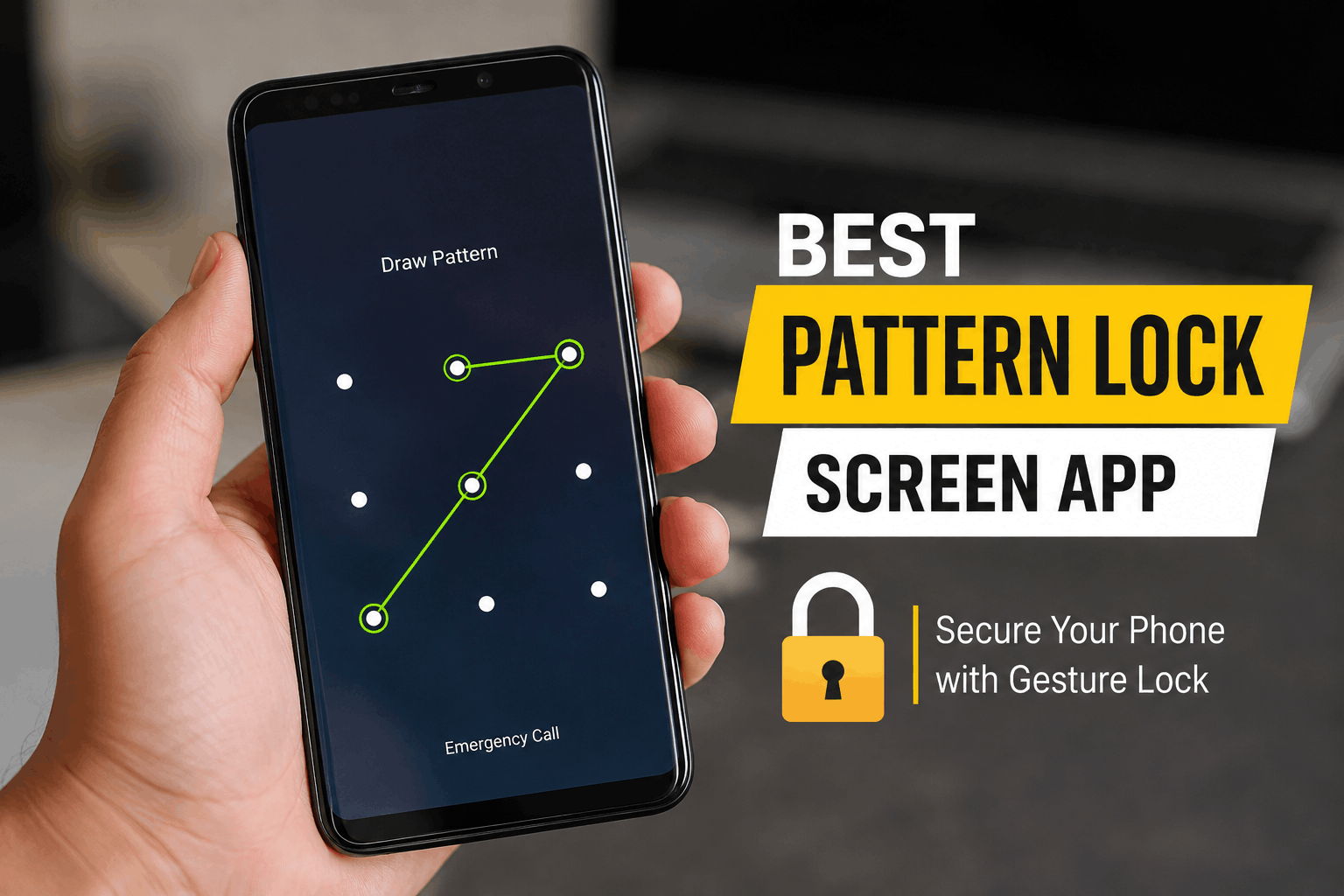
Step 3: Set your pattern Draw something that is not too obvious. A straight line or simple L shape takes seconds to guess by watching your screen smudges. Use at least six points and cross over your own lines if the app allows it.
Step 4: Choose which apps to lock Do not lock every single app. That gets annoying fast and you will end up disabling the whole thing within a week. I only lock gallery banking apps WhatsApp and email. Everything else stays open for quick access.
Step 5: Set up a backup unlock method Most apps let you add a security question or backup PIN in case you forget the pattern. Do this immediately after setup. I skipped this step once and got locked out of my own gallery app for two days until I found an old backup phrase in my email.
Step 6: Test it before you trust it Lock your phone and hand it to a friend or family member for thirty seconds. Watch how they try to get in. This tells you a lot about how strong your pattern actually is against casual snooping.
A Real Example From My Own Phone
My banking app and gallery are locked with a completely different pattern than my phone unlock pattern. This might sound like overkill but here is why I do it.
If someone ever does guess my main screen lock they still hit a second wall before reaching anything sensitive. It happened once when a coworker borrowed my phone to check a message and accidentally opened my gallery app. He got the lock screen instead of my photos. That single moment convinced me this double layer setup is worth the extra two seconds every time I open those apps.
Common Mistakes People Make With Pattern Locks
Using the same pattern everywhere If your phone unlock and your app lock use the same gesture you basically have one point of failure. Someone who learns one learns both.
Choosing a pattern based on a letter or shape Patterns shaped like the letter Z or a simple square are extremely common. Attackers and even casual snoopers try these first.
Ignoring app permissions Some lock apps request accessibility permissions that go far beyond what a lock screen needs. If an app asks for something unrelated to locking screens or apps it is worth researching before granting it.
Forgetting to update the app Lock screen apps get security patches just like everything else. An outdated version can have known bypass methods that are public knowledge.
Not testing the backup recovery option I already mentioned my two day lockout. Test your recovery method the same day you set it up not months later when you actually need it.
Final Thoughts
A pattern lock feels like such a small thing until the day it actually saves you from an awkward or genuinely bad situation. My cousin scrolling through my gallery was harmless in the end but it made me realize how exposed my phone really was.
Pick an app that fits how careful you want to be. If you want something simple and reliable go with DoMobile AppLock. If you want extra security features like intrusion photos go with Norton App Lock. Either way set it up properly following the steps above and actually test it before you trust it with anything important.
Your phone holds more personal information than most people realize. A few minutes setting up a proper pattern lock is a small price for that peace of mind.